
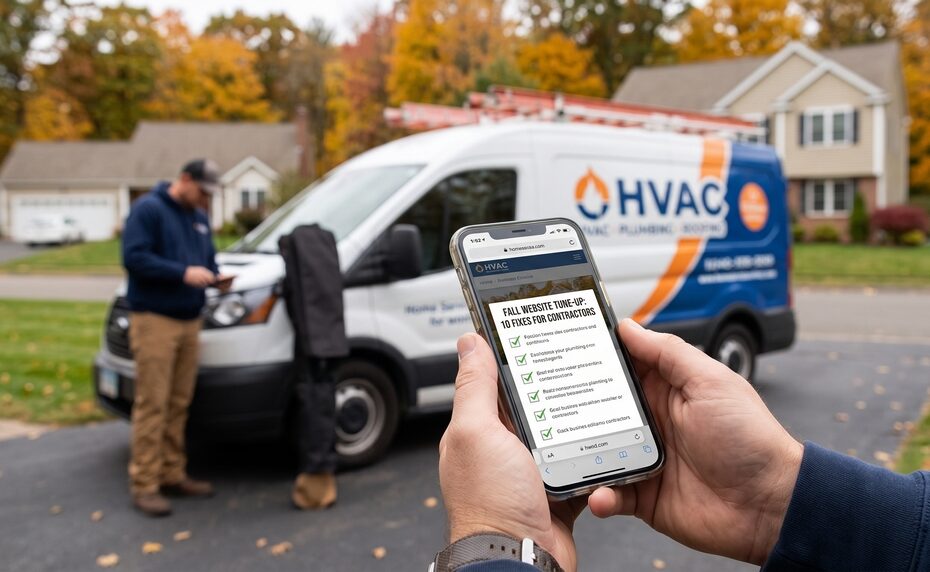
For Home Service Pros, a website tune-up should occur before every season.
Fall is one of the most important seasons for Connecticut contractors. Homeowners begin preparing for colder weather, and many line up professionals who can help solve any weather related emergencies. They look for furnace maintenance, roof repairs, insulation upgrades, emergency plumbing support, basement waterproofing, and the list goes on and on. That creates opportunity, but only for businesses that are ready to be found and contacted.
A contractor website doesn’t need to be flashy to perform well. It needs to load quickly, explain services clearly, build trust, and work properly on mobile devices. It should make it easy for someone to call or request an estimate. The website also needs to be visible to Google.
Google’s current guidance for traditional Search and AI-powered Search results is consistent: businesses should create unique, helpful content, maintain crawlable and indexable pages, provide a solid user experience, and keep local business information current.
These are 10 steps Connecticut contractors should make to complete their website tune-up. A word about this list. Just like taxes this is work you can do yourself. But it is often better to leave some of these tasks to a professional
-
Test Every Way a Customer Can Contact You
The first purpose of your website is to turn interest into a conversation. Before seasonal demand picks up, test every path a customer can use to reach you.
This includes:
- Main phone numbers
- Click-to-call buttons on mobile
- Contact forms
- Estimate-request forms
- Online booking links
- Text-message options
- Live-chat tools
- Emergency-service buttons
- Financing forms
- Confirmation emails and automated lead responses
Do not assume your forms work because they worked last year. Website updates, new plugins, CRM changes, spam filters, broken integrations, and email-delivery problems can stop leads from reaching your team. Submit a test form yourself. Call your own tracking number. Complete the scheduling process from a phone. Confirm that the lead lands in the correct inbox or CRM pipeline and that someone is notified quickly. For emergency services, the contact path should be even simpler. If a homeowner has a failed furnace, burst pipe, roof leak, or water-damage emergency, they should immediately understand whether you are available and how to reach a real person.
-
A Website Tune-Up Includes Updating Seasonal Service Content
Your website should reflect the services homeowners need now. Service pages should be updated to reflect the season. For example:
An HVAC business may want to highlight:
- Furnace repair
- Boiler service
- Heating maintenance
- Heat-pump installation
- Thermostat problems
- Carbon-monoxide safety
- Emergency no-heat calls
A roofer may want to feature:
- Roof leak repair
- Storm-damage inspections
- Missing-shingle repair
- Flashing repairs
- Ice-dam prevention
- Roof replacement estimates
Do more than add a town name and the word “winter” to an old page. Answer the questions customers actually have.
You need to answer questions like this:
- What signs indicate I need this service?
- What happens during the visit?
- How fast can the company respond?
- What affects the cost?
- What should I do before the technician arrives?
- Which towns do you serve?
- How do I request help?
The best service pages reduce uncertainty. They help the homeowner understand the problem while making your business feel like the sensible company to call.
-
Make Mobile Visitors a Priority
For home-service businesses, many leads start on mobile. A customer with a malfunctioning furnace or a leaky roof is usually not sitting at a desk comparing contractor websites.
Open your site on your phone and ask:
- Does the homepage load quickly?
- Is your phone number easy to find?
- Can users tap to call without zooming in?
- Are forms short and easy to complete?
- Do buttons work properly?
- Are pop-ups blocking the page?
- Is the text readable?
- Can a user reach an important service page in one or two taps?
Mobile visitors want speed and clarity. They should quickly know what you do, where you work, why they should trust you, and how to reach you. Google advises site owners to provide a good page experience across devices, reduce delays, and make main content easy to distinguish from other page elements. A site that looks fine on a desktop computer but is frustrating on a phone will lose leads, especially when the customer has an urgent need.
-
Strengthen Your Priority Service Pages
Not every page on your site has equal value. Focus on the services that produce the best jobs, the strongest margins, or the most reliable lead flow.
For a contractor, those pages might be:
- Furnace replacement
- Heating repair
- Roof replacement
- Emergency roof repair
- Kitchen remodeling
- Bathroom remodeling
A strong service page should not simply repeat “best [service] in [city].” It should help a customer decide on a course of action.
Review each priority page and add useful information such as:
- A clear description of the service
- Common problems and symptoms
- A brief overview of your process
- Project timelines or factors that affect scheduling
- Pricing ranges or the factors that influence cost
- Local service-area details
- Licensing, insurance, certifications, and warranties
- Customer reviews
- Real project photos
- Frequently asked questions
- Clear estimate, booking, or call-now options
Your goal is not to make every page long. Your goal is to make every important page more helpful than the generic alternatives a homeowner may find elsewhere.
-
Check Search Console for Indexing Issues
A well-written service page cannot bring in leads if Google does not index it.
Use Google Search Console to review the Page Indexing report. Look for important service, location, product, or resource pages that may not be included in Google’s index.
Investigate issues such as:
- Accidental noindex tags
- Pages blocked by robots.txt
- Incorrect canonical tags
- Duplicate pages
- Redirected URLs
- Server errors
- Soft 404 errors
- “Crawled – currently not indexed” statuses
- “Discovered – currently not indexed” statuses
For high-value URLs, use the URL Inspection tool. It helps confirm whether Google indexed the page, which canonical version Google selected, and whether the page is eligible to appear in Search. Google states that to be eligible for AI-powered Search features, a page must be indexed and eligible to appear in normal Google Search with a snippet. That makes indexing and technical SEO more important as search evolves.
-
Clean Up Your XML Sitemap
An XML sitemap is a file that helps Google discover important URLs on your website. It does not guarantee rankings or indexing, but it can help Google understand which pages you consider valuable.
Google recommends that sitemaps include canonical URLs that are current and worth crawling.
Review the sitemap you submitted in Search Console. It should include pages that are:
- Live
- Indexable
- Canonical
- Returning a 200 server status
- Useful to customers
- Current and maintained
Remove low-value or irrelevant URLs, including pages that redirect, error pages, thin tag archives, internal search pages, old staging URLs, duplicate pages, or URLs marked noindex.
A clean sitemap helps reduce confusion and gives Google clearer signals about your important service and content pages.
-
Refresh Your Google Business Profile
Your Google Business Profile is often the first place a prospective customer encounters your company. It can appear in Maps, local results, branded searches, and mobile search experiences before the customer ever visits your website.
Before winter, verify that the following is accurate:
- Business name
- Phone number
- Website link
- Address or service area
- Regular business hours
- Holiday hours
- Emergency availability
- Primary category
- Secondary categories
- Services
- Booking or estimate link
- Photos
- Reviews
Google specifically advises businesses to keep Google Business Profile details current as part of maintaining visibility for local and AI-powered Search experiences.
Add new photos whenever possible. Photos of your crew, trucks, completed projects, equipment, and before-and-after work help customers see that you are active, legitimate, and experienced.
-
Add Current Reviews and Proof
People want proof before contacting a contractor. They want to know whether your company communicates clearly, shows up when promised, treats the property with respect, and completes quality work.
Add trust signals to your key pages:
- Recent Google reviews
- Client testimonials
- Project case studies
- Before-and-after images
- Warranty details
- Licenses and certifications
- Years in business
- Manufacturer partnerships
- Team biographies
- Financing information
Do not wait until business slows down to request reviews. Build a review-request process into job completion. Ask happy clients for feedback soon after the work is complete, when the experience is fresh.
Specific reviews are especially valuable. A review that mentions “emergency boiler repair,” “careful roof replacement,” or “excellent bathroom remodeling communication” gives future customers useful context.
-
Improve Internal Links
Internal links help visitors move through your site and help Google understand the relationship between your pages.
For example:
- A furnace-maintenance article should link to heating repair and furnace-installation pages.
- A roof-inspection page should link to roof-repair and roof-replacement services.
- A bathroom-remodeling guide should link to your remodeling portfolio and consultation page.
- A town page should link to the services you offer in that service area.
Use natural, descriptive anchor text. Instead of “click here,” use phrases such as “schedule heating repair” or “learn about our roof replacement process.”
Google continues to recommend making content easy to find through internal links.
Important pages should not be isolated. If you want Google and prospective customers to find a service page, make sure other relevant pages link to it.
-
Build Content Around Winter Problems
Do not wait until January to publish content about winter problems. Create or refresh relevant guides while people are actively researching services.
Useful topics may include:
- What to do when your furnace stops blowing heat
- How to prevent frozen pipes in a Connecticut home
- What causes ice dams on a roof?
- How much does furnace replacement cost in Connecticut?
- When should you repair or replace an aging boiler?
- What should you do after storm damage affects your roof?
- How to prepare your home for a winter remodeling project
- Warning signs that your water heater may fail
Immediate Execution Checklist
| Action Item | Responsible Party | Target Completion | Status |
| Contact Form & Phone Test | Internal Team | Day 1 | [ ] |
| Hero & Seasonal Service Page Pivot | Webmaster / Marketing | Days 1–3 | [ ] |
| Emergency Tap-to-Call Inspection | Internal Team | Day 2 | [ ] |
| Image Compression & Speed Check | Web Developer | Days 3–4 | [ ] |
| GBP Services & Hours Alignment | Marketing Lead | Days 3–5 | [ ] |
| Schema Validation & Re-indexing | SEO Specialist | Days 5–7 | [ ] |
| Full Site Backup & Plugin Updates | Webmaster | Day 7 | [ ] |
Use content based on real knowledge. Include actual job-site observations, local conditions, pricing factors, safety reminders, and guidance your team gives customers every day. Google recommends creating original, useful material that provides a unique perspective rather than generic content that could be produced by anyone. A fall website tune-up is not about chasing every SEO trend. It is about making sure your business is visible, credible, and ready when homeowners need help. If the site is fast, current, indexable, easy to use, and supported by clear proof of expertise, you will be better prepared to turn winter demand into qualified leads.
Need an outside review? Elvin Web Marketing can audit your contractor website, Google Business Profile, and Search Console data to identify the highest-priority improvements before winter.