
How AI Search can help local businesses
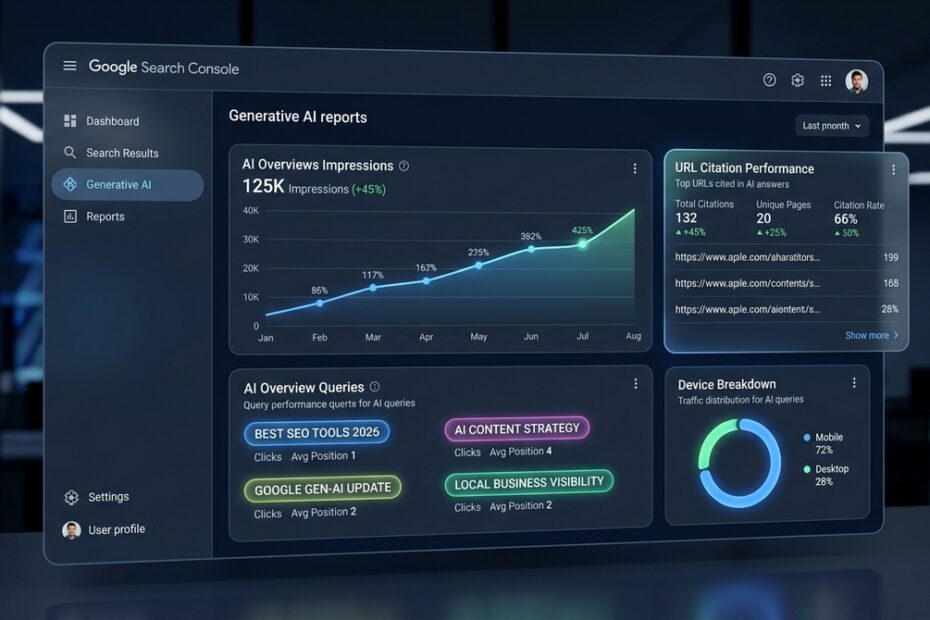
Google Search is evolving. We all know that. But the basics of earning profitable traffic have not changed. Your website must be useful, trustworthy, technically accessible, and easy to navigate. Help has arrived to help you determine how successful you are at that. Google Search Console now includes Generative AI performance reports. Search Console now gives website owners a dedicated view of how often URLs appear in AI-powered Google Search experiences, including AI Overviews and AI Mode. Google Search Central
For small businesses, this creates a new opportunity to understand visibility. The smart approach is to use Search Console to identify what Google already values on your site. Besides that, you can remove indexing and technical barriers, and improve pages that answer customers’ real questions.
What the AI Search Console Report Shows
Google’s Generative AI performance reports are designed to show visibility within generative Search features. The report includes:
- Impressions: How often a URL from your website appeared in AI-powered Search features
- Pages: Which URLs appeared
- Countries: Where the visibility occurred
- Devices: Whether users saw the content on desktop or mobile
- Dates: Trends over time using hourly, daily, weekly, or monthly views
Read Google’s overview of the reports: Introducing Search Generative AI Performance Reports in Search Console.
This data is also included within the standard Performance report under the Web search type. The dedicated report simply provides a clearer lens into visibility from AI features. See Google’s AI Features and Your Website guidance
The report should be treated primarily as a visibility indicator. For the information to be useful, pair it with Google Analytics. You should also track form submissions, phone calls, ecommerce sales, CRM data, and booked appointments to determine whether that visibility produces real business value.
Optimizing for answer engines is only half the battle; measuring it is the other. Learn how to track your citations directly using Search Console’s AI performance reports to see which URLs are winning AI impressions.
Begin With a Baseline
Open Google Search Console, go to Performance, and locate the Generative AI performance report underneath the Performance tab. Review the most recent 28 days, then compare it with the previous 28-day period. If the site has enough impressions, also review a three-month range to reduce the impact of short-term fluctuations.
Keep these questions in mind while we’re doing the data:
- Which pages receive the most AI-feature impressions?
- Are impressions trending upward, downward, or remaining stable?
- Are the visible pages connected to priority services, products, or locations?
- Is the visibility coming primarily from mobile devices?
- Are there opportunities in the local markets the business actually serves?
Do not overreact to a single week of movement. AI results can vary based on query type, user location, device, and how Google chooses to present a response.
Find AI-Ready Pages
Use the Pages tab in the Generative AI report and export the data monthly. This helps you see which URLs Google is already willing to feature in AI-assisted search journeys.
| What You Find | What It May Mean | Recommended Next Step |
| A high-impression service page | Google recognizes the page as relevant to customer research | Improve calls to action, FAQs, testimonials, service-area information, pricing guidance, and contact options |
| A high-impression blog post | The topic is attracting attention, but may not yet drive leads | Add a natural internal link and a clear next step toward a relevant service or product |
| An important service page with little AI visibility | The page may be weak, poorly linked, unindexed, or not sufficiently useful for common questions | Review indexing, content depth, originality, customer-question coverage, and internal links |
| An old page with AI visibility | Google may still find a useful answer on it | Refresh outdated facts, improve examples, remove stale claims, and add better conversion paths |
For instance, an HVAC company may find that its article about a furnace blowing cold air earns meaningful AI visibility, while its furnace-repair page does not. Rather than turn the service page into a generic blog pos, the smart move is improving the informational article. This can be done by adding a concise section explaining when professional repair is needed. You should then link the article to the repair service page, and make requesting help simple.
Combine AI and Search Data
For every page that stands out in the Generative AI report, examine that same URL in the traditional Search results Performance report. Google explains that AI Overview and AI Mode activity is included in the overall Web search data in Search Console.
Expert Tip – Use this workflow:
- Go to Performance > Search Results
- Set the search type to Web
- Filter for the URL you want to evaluate
- Compare the most recent 28 days with the preceding 28 days
- Review impressions, clicks, click-through rate, average position, and search queries
- Sort queries by impressions to see what Google associates with the page
- Identify high-impression queries with a weak click-through rate
- Improve the title tag, meta description, page introduction, headings, and answer quality where the page does not meet searcher intent
A page can receive substantial AI visibility without generating many clicks. On the other hand, a page may earn fewer appearances but bring in highly qualified users.
Use URL Inspection Often
The URL Inspection tool is one of the most underused features in Search Console. Use it for high-value service pages, new articles, key location pages, and any URL that should be appearing in Google but is not.
See how Google views the page:
- Indexed or not indexed
- Crawlable or blocked
- Canonicalized to the intended URL
- Mobile-friendly and accessible
- Updated recently enough to reflect significant changes
- Eligible to show a Search snippet
Google specifically recommends using URL Inspection to verify what Googlebot received while crawling a page. This is particularly important when troubleshooting preview controls and AI-feature visibility. Before sharing a new article in a newsletter, Google Business Profile post, LinkedIn update, or social campaign, inspect the URL first. Confirm the live page is correct, indexable, linked internally, and contains the important content as readable text.
Monitor Indexing Problems
Check Indexing > Pages every week or two. Pay attention to important pages that are excluded from Google’s index. Pay particular attention to service pages, product pages, city pages, and high-value educational content.
Common problems include:
- A noindex tag accidentally left in place
- URLs blocked by txt
- Duplicate pages that Google does not consider worth indexing
- Redirected URLs still used in internal links or sitemaps
- Thin pages with little original value
- Pages Google has crawled but has not chosen to index
- Pages Google has discovered but has not yet crawled
Google’s guidance for AI features is clear: a page must be indexed and eligible to appear with a standard Search snippet before it can be eligible as a supporting link in AI Overviews or AI Mode. There are no separate technical requirements just for AI search.
Keep XML Sitemaps Clean
Submit and monitor XML sitemaps in Indexing > Sitemaps. Sitemaps help Google find pages, but they do not guarantee that Google will index or rank them.
Include only URLs that are:
- Live and returning a 200 server response
- Canonical and intended for indexing
- Useful to potential customers
- Current and actively maintained
- Not redirected, blocked, duplicated, or marked noindex
Remove low-value tag pages. Examples include:
- Internal search results
- Tracking-parameter URLs
- Old redirects
- Duplicate pages, staging URLs, and thin archives.
A clean sitemap sends Google clearer signals about the pages that deserve attention.
Create Content People Need
Google’s published guidance says that there is no special AI Overview or AI Mode optimization requirement. Familiar SEO fundamentals still matter; allow crawling, provide readable text, build internal links, create helpful and reliable people-first content, provide a good page experience, and ensure structured data matches the visible page content.
For local companies and service businesses, prioritize topics customers genuinely research before calling:
- “How much does [service] cost in [city]?”
- “Should I repair or replace [system, product, or equipment]?”
- “What are the warning signs I need [service]?”
- “How long does [service or project] take?”
- “What should I ask before hiring a [provider type]?”
- “[Option A] vs. : which is right for me?”
- “Does insurance cover [problem or service]?”
- “What permits, codes, or local factors affect [project] in [city]?”
Do not publish generic, lightly edited AI copy simply because it is fast to produce. Add real expertise. Include firsthand observations, local context, original examples, pricing factors, process details, photographs, customer questions, and clear guidance.
Upgrade Service Pages
A good service page should help a person understand the problem, assess options, trust the company, and take action. It should not merely repeat a city name and service keyword.
For each core service page, review whether it includes:
- A clear explanation of the service and who needs it
- Common symptoms, problems, and use cases
- An overview of the process and what happens next
- Honest pricing ranges or factors that influence price
- Accurate local service-area information
- Relevant credentials, licensing, insurance, warranties, and experience
- Original work examples, testimonials, case studies, or project photos
- FAQs based on real customer calls and emails
- Prominent phone, form, booking, quote, or consultation calls to action
- Links to related services, locations, reviews, financing, and educational resources
These upgrades improve usefulness for people and make it easier for Google to understand the depth and purpose of the page.
Build Better Internal Links
Google specifically recommends making content easy to find through internal links as part of its AI Search guidance.
Use internal links deliberately:
- Link educational articles to a relevant service page
- Link service pages to useful guides, FAQs, case studies, and testimonials
- Link location pages to the actual services available there
- Link popular articles and home-page sections to priority revenue pages when relevant
- Use descriptive anchor text instead of vague links such as “click here”
A page with no internal links may be difficult for users and search engines to discover. Every important page should be part of a logical content path.
Audit AI Search Console Local Information
Local businesses should keep their Google Business Profile, and website accurate and consistent. Google includes this among its recommended practices for content that may appear in AI Search features.
Items that should be reviewed on a monthly basis:
- Business name, address, phone number, hours, and service areas
- Primary and secondary Google Business Profile categories
- Service lists and descriptions
- Appointment, booking, estimate, or contact URLs
- Holiday and seasonal hours
- Local photos and recent reviews
- Website contact-page information
- Product prices, availability, and Merchant Center feeds for ecommerce companies
Search Console cannot replace Google Business Profile reporting, but it can show whether local pages and branded content are earning more organic visibility.
Check Structured Data
Search Console’s Enhancements reports help identify issues with eligible rich-result markup. These include breadcrumbs, product details, reviews, and other supported result types. Structured data must accurately reflect content that users can see on the page.
Use schema as a way to clarify existing content, not create eligibility. Focus on:
- Fixing errors on high-value templates and pages
- Ensuring product price and availability markup matches the live page
- Keeping reviews and ratings legitimate and visible
- Validating changes after a website update
- Monitoring enhancement reports after plugin, theme, or ecommerce changes
Improve Technical Experience
Search Console’s Core Web Vitals and HTTPS reports can flag issues that create friction for visitors. A better page experience does not guarantee rankings, but slow, unstable, or insecure pages make it harder to convert the visitors your SEO work earns.
Prioritize these steps:
- Faster mobile loading for service, location, and product pages
- Correctly sized and compressed images
- Reduced layout shifts from banners, ads, or delayed scripts
- Broken-link and 404-page fixes
- Removal of unnecessary redirect chains
- Secure HTTPS delivery
- Readable HTML content for essential service details, prices, contact information, and forms
Google also recommends ensuring important content is available as text and pairing it with useful images and video where appropriate. Google’s AI-feature SEO best practices
Avoid These AI Search Console Mistakes
Do not treat AI impressions as leads or revenue. They show that your URL appeared in an AI Search experience, but they do not prove that someone clicked, called, completed a form, or bought something.
Do not block Google from using content in AI Search experiences without a clear business reason. Site owners can use standard preview controls such as to limit information shown from pages in Search.
Most importantly, do not chase shortcuts. Google’s guidance remains focused on accessible, indexable, helpful, people-first content supported by sound technical SEO, clear internal links, accurate structured data, and current business information.