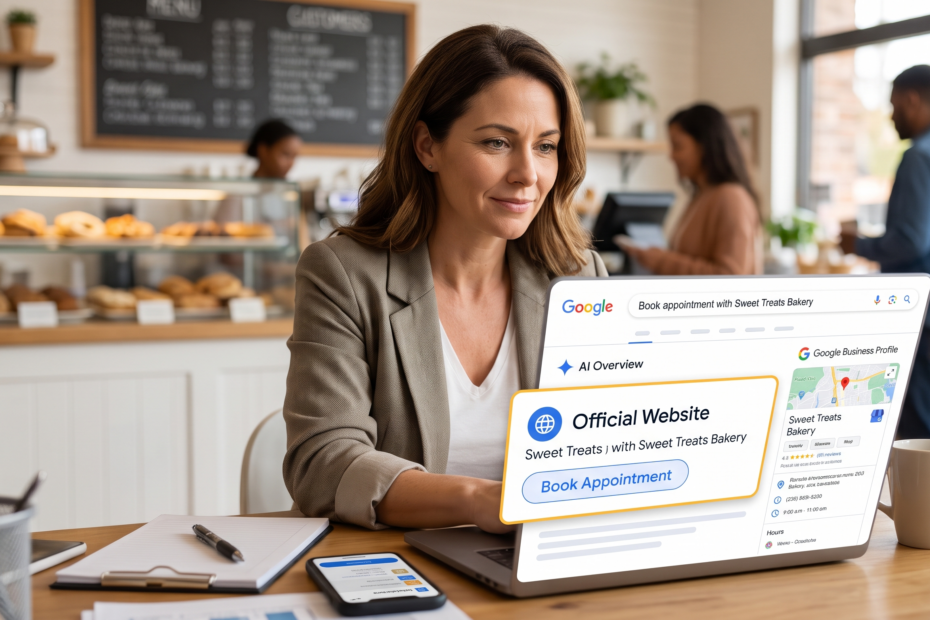
Google’s “Official Sites” Box can be a game changer for some local businesses.
For two years, business owners have heard the same story: Google’s AI answers are taking clicks away from websites. On October 15, 2026, Google announced a set of changes meant to push more of those clicks back to your website. One of them matters a lot for local businesses. Google is testing a new section at the top of some AI responses. Google’s Official Sites box points searchers to the one or two “official” websites. There they can finish a task or get exact information.
Think about tasks like booking an appointment, requesting a quote, viewing a menu, or checking hours. If your business has the answers to any of these type queries, you want to be the link Google puts in that box.
Here’s What Google’s official Sites Box is About
In a post on Google’s blog VP of Product Management Hema Budaraju listed five updates to AI Overviews and AI Mode:
-
More clickable links right inside the answer, closer to the top
-
What it means: When Google’s AI writes a summary to answer your question, it will put more clickable website links directly inside the sentences, and those links will show up near the beginning of the answer instead of being buried at the bottom.
-
Why it matters: You don’t have to read the entire AI summary or hunt around to find the original website where the facts came from. You can click straight to the source right away.
-
-
A special “Official Websites” box at the very top
-
What it means: For searches where you just need one specific, trustworthy site (like renewing a driver’s license or checking an official government rule), Google is testing a separate box right at the top of the AI answer. Each link includes a short note explaining why that site is the right one to visit.
-
Why it matters: It keeps you from clicking on fake, outdated, or look-alike websites. it points you straight to the real one and tells you what you can do there.
-
-
More swipeable news rows featuring your favorite sites
-
What it means: When you search for a breaking news topic, Google shows a horizontal, swipeable row of recent articles (called a “carousel”). Google is bringing this feature to more locations It will automatically highlight articles from news sites you like and trust (“Preferred Sources”).
-
Why it matters: You get faster access to current news from the specific outlets you already rely on, in more places around the world.
-
-
Bigger follow-up article links with pictures
-
What it means: At the bottom of an AI answer, Google suggests other articles if you want to keep reading about the topic. Those suggestions are getting larger buttons and preview pictures (thumbnails) instead of just plain text.
-
Why it matters: They are much easier to spot and tap on a phone or computer. The pictures give you a quick preview of what each article is about before you click.
-
-
Clickable creator names on videos that open a bio page
-
What it means: When a video shows up in an AI search result, the name of the person or company that made it will now be clickable. Clicking their name takes you to a Google profile page showing who they are and what else they’ve published.
-
Why it matters: It lets you quickly check out a video creator’s background and see if they are a credible source before trusting what you see in the video.
-
Google described the official-sites test this way: “Sometimes, there are only one or two official places on the web to complete a specific task or get the exact info you need.” Google is testing the format for task-based searches.
Why This Matters for Local Businesses
This change is happening while AI answers keep spreading. AI Overviews now show up on more than 80% of Google searches, up from about 50% in June of last year. When an AI summary sits at the top of most results, a guaranteed, labeled spot for the official website is valuable real estate.
Think about the searches your customers type when they’re ready to act:
- “Book an appointment with [your business]”
- “[Your business] menu” or “[your business] hours”
- “Schedule service with [your company]”
- “[Your business] request a quote”
For each of these, there really is only one official place on the web: your website. Without clear signals, though, Google may send people to a directory listing, an outdated third-party profile, or a competitor. This Makes it important to make sure your information is accurate and up to date. A top slot for “official places” raises the stakes on brands being the recognized authoritative source for their own locations and information.
This deserves an added comment. We’ve had more than a couple clients make changes to their Google Business Profile or major directory listing without notifying us. This created a huge issue not only for Google but ChatGPT and Perplexity as well. When vital information is inconsistent across the web AIs get confused about what information is correct. Inconsistent information will not only get you knocked out of the official sites box, it will get you knocked off AI overviews and responses entirely. It will cause some AIS to hallucinate the wrong information, which may be even worse than not showing up at all.
Google is about to reward businesses that make it obvious their website is where visitors can get the information they need or perform the task they require.
How to Position Your Website as the Official Source
Google hasn’t published criteria for the new section, and since it’s still a test, nobody outside Google knows exactly how sites get picked. Still, the steps below are long-standing Google best practices that help it identify your official site. They pay off whether or not the test becomes permanent.
-
Connect Your Website and Your Google Business Profile
Your Google Business Profile should link to your actual website, not a booking platform, social page, or old domain. Make sure your business name, address, and phone number match exactly across your website, your profile, and major directories. Complete and accurate info are more likely to show up in local search results.
-
Give Every Important Task Its Own Page
If people need to book, order, pay, or request a quote, each of those actions needs a dedicated, clearly titled page on your site. A page called “Schedule Plumbing Service in Milford, CT” with a working form is much easier for Google to understand than a generic “Contact” page with a phone number.
If the task lives on a third-party tool, embed it on your own page so your domain stays the official destination.
-
Add Structured Data
Structured data is code that tells search engines what your business is, where it’s located, and what it offers. You can mark up your location, your phone number, your primary service, product, and so on. Organization markup on your homepage, including your logo and official social profiles, helps confirm which site belongs to you.
-
Write Clear Page Titles and Headings
Google says the new section will include “context about why each link is useful.” That context has to come from somewhere, and your page titles, headings, and opening paragraphs are the most likely source.
Say plainly what each page does: “Order catering online,” “Pay your invoice,” “Book a free estimate.” Vague, clever headlines make it harder for Google to match your page to a task.
-
Make Sure Your Site Is Eligible for AI Features
Some site owners have limited how their content appears in Google’s AI features without realizing what that costs them. Google requires a site to be included in Search generative AI features in Search Console to qualify as a Preferred Source in AI Mode and AI Overviews.
Google also recently updated its help documentation on controlling what you share with Google Search, which covers options like the robots meta tag, data-nosnippet, and the Search generative AI control. Review these settings with your web team before you assume your site is fully visible.
-
Keep Your Information Current
An official source has to be accurate. Update your holiday hours, seasonal menus, service areas, and pricing pages before customers look for them. During the Holidays, check every page customers use to take action.
Don’t Forget Preferred Sources
The same Google announcement expanded news carousels that highlight a user’s Preferred Sources. Google said the number of people using Preferred Sources has grown more than sevenfold since the start of the year. This feature matters most for publishers, but local businesses that regularly publish helpful articles, such as seasonal maintenance tips, event announcements, or local guides, can ask loyal customers to add them as a preferred source.
A Reality Check on Clicks
Google’s changes are welcome, but keep your expectations realistic. Google has updated how links appear in AI answers many times. It is also believed that Google won’t share click data for these changes. There is a tracking catch. Search Console gives every link inside an AI Overview the same single position. As a result, a link moving higher won’t show up as a ranking change in your reports.
That’s why the goal isn’t to chase one feature. It’s to make your website so clearly the official, accurate home for your business that every version of Google Search, AI or traditional, sends customers there.
5-Minute Self-Check: Would Google Pick Your Site Today?
Before you call your web team, run through these five quick checks on your own phone or computer:
-
Search your own business name: Does your actual website show up above directories like Yelp, Angi, or Facebook—and does your Google Business Profile link straight to it?
-
Test your main customer action: Open your site on your phone and try to book an appointment, request a quote, or view your menu. Can you do it on a dedicated page on your own domain without getting kicked out to a confusing third-party site?
-
Check your phone number and address in three places: Compare your website footer, your Google Business Profile, and your Facebook page. If the street abbreviation, suite number, or phone number differs even slightly, AI tools can lose confidence in which one is real.
-
Read your main page titles out loud: Look at the browser tab or main headline on your key service pages. Do they plainly state what a visitor can do (like “Request a Quote” or “Schedule Service”), or do they use vague slogans?
-
Look at your hours and seasonal details: Check your website and Google Business Profile side by side. If a customer looked you up right now, would both places give the exact same answer for today’s hours, holiday closures, and service areas?
How did you score? If you answered “no” or “not sure” to even one of these, there’s a good chance Google’s AI sees mixed signals about your business.
The Bottom Line
Google’s official-sites test is a small change with a big message: In AI search, proving you are the official source for your business gives you a real edge. Businesses with consistent listings, dedicated task pages, structured data, and accurate information are best positioned for this feature and for whatever Google tests next.
If you’re not sure whether Google sees your website as the official source for your business, Elvin Web Marketing can review your site, your Google Business Profile, and your structured data, then show you exactly what to fix.