
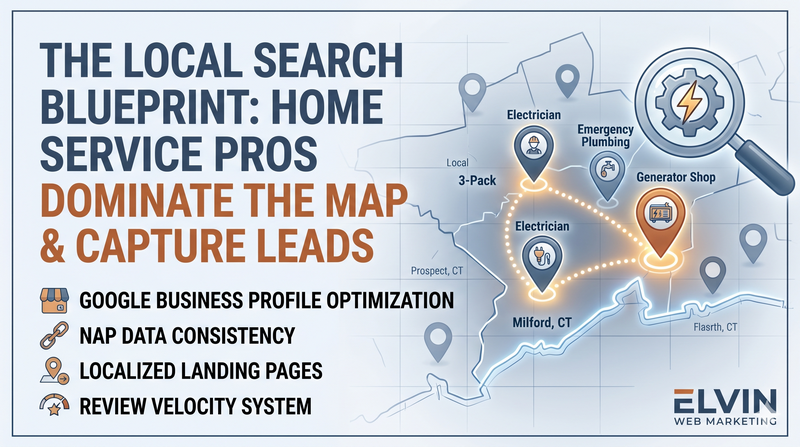
The Local Search Blueprint: How Home Service Pros Dominate the Map and Capture Missing Leads
If you install generators, handle emergency plumbing calls, or run an HVAC crew, one thing is true: customers must be able to find you fast when something goes wrong. When a homeowner or property manager has an emergency and searches on Google, the companies that show up first on the map usually get the call. This local search blueprint walks you through what actually matters. It will help you can show up more often, get more calls, and stop losing easy jobs to competitors.
Why the Google Map Pack Matters Most
When someone searches “plumber near me” or “AC repair in [your town],” Google shows a map with three main businesses on it. That “Map Pack” usually gets the most clicks and calls. If you’re not in that list, you’re handing hot leads to other companies.
Google mainly looks at three things to decide who shows up:
-
Relevance: Do you clearly show that you do what the person is searching for?
-
Distance: Are you close to where they are or where the job is?
-
Prominence: Do you look like a real, trusted company online (reviews, listings, website)?
You can’t move your shop closer to every customer, but you can improve how relevant and trusted you look online. That’s what this blueprint is about.
Step 1: Fix and Optimize Your Google Business Profile
Your Google Business Profile (GBP) is your new online storefront. It’s what shows up on Google Maps and in the Map Pack. A strong profile = more calls.
What to set up and clean up
-
Pick the right categories
-
Use a clear primary category that matches your main work (e.g., “Plumber,” “Electrician,” “HVAC Contractor,” “Generator Shop”).
-
Add a few extra categories for important services (like “Heating Contractor,” “Emergency Plumber,” “Air Conditioning Repair Service”).
-
-
Write a clear business description
-
Say who you are, what you do, and which towns you serve.
-
Mention your key services in plain language customers use, like “standby generator installation,” “emergency pipe repair,” or “AC repair.”
-
-
List your services
-
Add each service as its own item instead of just saying “plumbing” or “HVAC.”
-
Include short descriptions so customers and Google understand each one.
-
-
Add real photos
-
Upload photos of your team, trucks, shop, jobs before/after, and equipment.
-
Add new photos at least once a month to show you’re active.
-
-
Post updates
-
Once a week, post about recent jobs, seasonal offers, or tips (e.g., “Storm season generator checks in Milford”).
-
This keeps your profile fresh and gives people a reason to call.
-
Step 2: Make Your Business Info Match Everywhere (NAP)
Google checks your business information across the web to see if you’re real and reliable. If your name, address, or phone number are different in lots of places, it hurts your visibility. AI agents (ChatGPT, Perplexity Gemini) use your listings on directories to verify important information about your business. If there are discrepancies across directories, AIs get confused. It can lead them to give the wrong answer on certain AI searches.
Quick NAP checklist
Make sure your:
-
Name
-
Address
-
Phone number
are written the same way on:
-
Your website
-
Google Business Profile
-
Apple Maps, Yelp, Angi, HomeAdvisor, BBB, and other main directories.
Watch out for:
-
Different business names (e.g., “A&J Generator” vs “A & J Generator Repair LLC”).
-
Old phone numbers or tracking numbers you no longer use.
-
Old addresses or different versions of your address (Suite vs Ste, etc.).
Action step: Spend 10–15 minutes searching your business name and fix any wrong or outdated listings you find.
Step 3: Build Local Service Pages on Your Website
Sending everyone to your homepage is like having one giant billboard that tries to sell everything at once. It’s better to have simple pages for each main service and town you want to win.
What a good local page looks like
Create pages like:
-
“Standby Generator Installation in Prospect, CT”
-
“Emergency Plumbing in Milford, CT”
-
“AC Repair in Orange, CT”
Each page should include:
-
A clear headline with service plus city
-
Example: “Emergency Plumbing Services in Milford, CT”
-
-
A short intro about the problem you solve
-
“Burst pipe? No hot water? Our team is on-call for same-day plumbing repairs in Milford and nearby towns.”
-
-
Local details
-
Mention local areas, neighborhoods, common issues (storms, freezing pipes, power outages).
-
-
Reviews from nearby customers
-
Add 1–3 short quotes from customers in that town. Better still, ask a happy customer to leave an online review you can reference.
- Case studies are powerful proof tools. AIs and search engines want proof that you can do everything that you say you can do and do it well.
-
-
Strong calls to action
-
Big click‑to‑call button and a short contact form that works great on mobile.
-
Over time, add one page per key service and town you care about most.
Step 4: Turn Reviews Into a Daily Habit
Reviews are huge. They help you rank higher and make people trust you fast. Many home service companies win or lose the job based on review score and recent feedback alone.
Simple review system for your crew
-
Ask at the right time
-
Train techs to ask for a review right after the job is done and the customer is happy.
-
-
Make it easy
-
Text or email a direct Google review link while you’re still on-site.
-
You can also use a QR code on a card or sticker in the truck.
-
-
Tell them what to mention
-
Ask them to mention the service and their town:
-
“If you can mention ‘generator install in Prospect’ or ‘AC repair in Orange,’ that really helps us.”
-
-
-
Reply to every review
-
Thank people for good reviews.
-
Stay calm and professional on bad ones, show you tried to fix the issue. This builds trust with future customers.
-
Aim for:
-
At least a few new reviews every month.
-
A rating of 4.5 stars or higher, with recent reviews in the last 30–60 days.
Step 5: Stop Losing Easy Leads (Fix Follow-Up)
Lots of companies show up well on Google but still lose 20–40% of potential jobs because they miss calls or respond too slowly.
Close the main “leaks”
-
Missed-call text-back
-
If you miss a call, set up a system that automatically sends a text like “Sorry we missed your call. This is [Company]. Do you still need help with [service]?”
-
This keeps people from calling the next company on the list.
-
Fast form follow-up
-
When someone fills out a form on your website, they should get a reply within a few minutes, if possible. Periodically check to make sure you’re receiving your form fills.
-
Use simple automation to send a text or email saying you got their request and when you’ll contact them.
-
-
After‑hours coverage
-
Use a chat widget or basic AI/chatbot to collect details at night and on weekends.
-
Let people pick a preferred time for a call‑back the next morning.
-
Make it easy for people to contact you however they prefer: phone, text, form, or chat.
Step 6: Track What Actually Brings in Jobs
You don’t just want more clicks. You want more booked jobs and revenue. That means tracking a few simple numbers each month.
Local search blueprint numbers to watch
-
How many calls came from your Google Business Profile.
-
How many form fills and chats came from your website.
-
Which services and towns send the most leads.
-
Which sources turn into real, paying jobs (Google, ads, referrals, etc.).
When you know this, you can:
-
Focus your effort on the services and towns that make you the most money.
-
Cut back on things that don’t bring in good leads.
Treat The Local Search Blueprint Like a System, Not a One‑Time Fix
The companies that win on Google don’t “do SEO” once and walk away. They:
-
Keep their Google Business Profile updated.
-
Ask for reviews on every good job.
-
Add and improve local pages over time.
-
Fix follow‑up so fewer leads slip through the cracks.
When you do these simple things month after month, you don’t just show up online. You become the obvious choice in your area.