
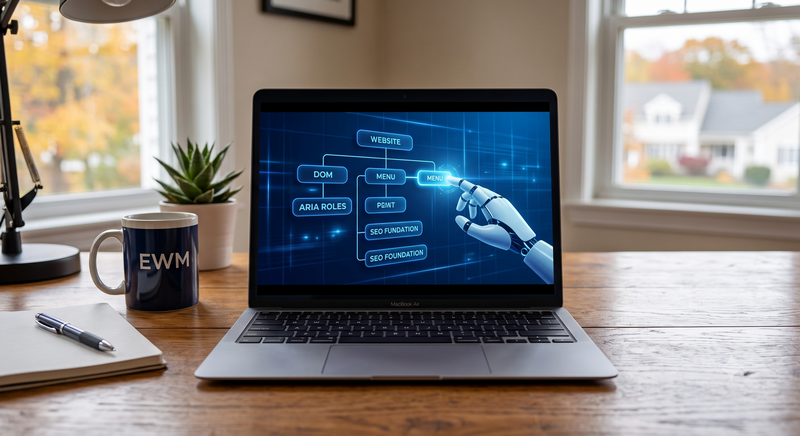
For almost two decades, the mega-menu has been the default answer to a hard information-architecture problem: how do you let a visitor see everything a large site offers without making them click through five layers of dropdowns? Nielsen Norman Group’s original research on the pattern still holds up—showing every option at once reduces cognitive load. Baymard Institute research has also found that a majority of users actively prefer mega-menus over simple dropdowns.
But the visitor doing the clicking is no longer just a person with a mouse. It is a voice assistant scanning for a snippet, or an autonomous AI agent parsing your DOM. Understanding how that shift changes the job of your navigation is the real subject of this article.
Search Has Split into Two Different Front Doors
Two simultaneous shifts are changing what “navigation” needs to accomplish:
-
Fewer humans are landing on homepages.
Zero-click search, where a query is fully answered on the results page, has risen to an estimated 64–68% of Google searches, driven by AI Overviews. When an AI Overview appears, users click through to an organic result only about 8% of the time. In Google’s AI Mode, the zero-click rate can reach 93% (aeovision.ai). Mobile searches show zero-click rates around 70–77%.
-
Visitors arrive with a conversational, task-oriented mindset.
Voice assistants and chat interfaces (ChatGPT, Perplexity) increasingly resolve simple questions themselves. Furthermore, agentic browsers are starting to visit and interact with websites autonomously on a user’s behalf to complete multi-step tasks.
Choosing a mega-menu isn’t just about creating a good user experience anymore—it’s about how AI bots see your site.
What the Mega-Menu Does Well
Before picking it apart, it is worth being clear about what mega-menus genuinely do well:
- They flatten deep hierarchies: Exposing second- and third-level categories in one glance.
- They reduce path-to-conversion friction: Supporting the “three-click rule” by putting pricing, service pages, and contact paths within a single interaction.
- They improve discoverability: Featured content and seasonal promotions get premium visibility.
Digital Silk notes that an overwhelming, poorly hierarchical mega-menu can reduce conversions by as much as 95%. This is a user-experience failure, not a mega-menu failure.
The Human Case Against the Mega-Menu
Before machines entered the picture, mega-menus were already straining under three human problems:
- Hick’s Law decision paralysis: Decision time increases with the number of choices. A mega-menu with 60–80 links measurably slows users down.
- Taxonomy mismatch: Mega-menus force visitors to map their goals onto a company’s internal organizational logic rather than plain-language needs.
- The mobile bottleneck: Desktop-era mega-menus collapses into painful hamburger accordions on mobile screens, which represent the majority of local traffic.
Where Mega-Menus Break Down for AI Search
Many interaction patterns that feel slick to a human are the exact patterns that make menus invisible or unusable to an AI system.
-
Hover-Only Reveal Hides Content
Google’s guidance on agent-friendly web design flags “complex hover states” as a top anti-pattern. If a menu item only appears on :hover, an AI agent or AI Overview crawler simply never sees it.
-
AI Systems Read the Accessibility Tree
When an AI bot visits a website, it doesn’t look at the pretty colors or the layout. Instead, it reads the hidden structural map of the page—the exact same code that screen readers use to help visually impaired people navigate.
If your website’s large “mega-menu” is built using generic code placeholders instead of proper, standard tags (like actual “navigation,” “button,” or “link” tags), the AI bot gets completely lost. To the bot, your menu is invisible. In fact, researchers found that websites using these kinds of custom, overly complicated code setups caused AI bots to misinterpret the page over 40% of the time.
-
AI Systems “Satisfice”
Recent research shows AI web agents rarely scroll beyond two viewports and ignore purely visual calls-to-action. A mega-menu that buries your highest-value links deep in a fourth column bets on a level of patience that AI agents do not have.
-
Answer Engines Retrieve Passages, Not Menus
AI Overviews and LLMs retrieve and rank content passages directly via crawlers. Google for Developers stresses that pages need to be indexed and eligible for a normal search snippet before they can appear in generative AI features. A page only reachable through a JavaScript-rendered mega-menu may never get indexed.
Navigation is Now a Retrieval Problem
| Navigation Aspect | Human Visitor | AI Crawler / Agent |
| Discovers menu via | Mouse hover, tap, visual scan | Static HTML, DOM, accessibility tree |
| Rewards | Visual hierarchy, motion, icons | Semantic tags, ARIA roles*, stable structure |
| Tolerates | A few extra clicks if guided | Almost none—satisfices quickly |
| Penalized by | Cluttered, overwhelming panels | Hover-only reveal, div-based fake buttons |
*ARIA stands for Accessible Rich Internet Applications. Think of ARIA roles as digital name tags attached to the hidden parts of a website. While human eyes can see that a specific text box is a search bar because of how it looks, an AI bot or a screen reader can’t see visual design. ARIA roles explicitly tell the bot, “Hey, this specific box is a search bar,” or “This element is a pop-up menu.”
On-Site Conversational Search is Replacing the Menu
Parallel to external shifts, internal site search bars are turning into the primary navigation front door. Instead of browsing a menu, users type direct questions. A basic keyword search box cannot handle this; it requires a semantic or vector-based search layer to map intent to relevant pages.
The advanced version of this is Generative UI. Rather than redirecting a visitor to a static, pre-built page, the interface assembles a custom component on the fly.
| Attribute | Mega-Menu (Browse Model) | Conversational Search (Ask Model) |
| User effort | High—visitor maps goal to internal structure | Low—visitor describes goal in plain language |
| Mobile UX (user Experience) | Poor—nested accordions, heavy scrolling | Native—well suited to typing or voice |
| Personalization | Static—every visitor sees the same links | Dynamic—tailored to the specific query |
| Friction | High—multiple page loads before conversion | Low—answers and steps surface inline |
The menu’s job is shifting from “be the map” to “anchor the visitor while conversational search handles the deep-dive.”
A Practical Checklist: Making Menus Work in Both Worlds
To ensure your structure is legible to machines while remaining beautiful for humans, implement this checklist:
- Use Semantic HTML: Use <nav aria-label=”Main navigation”>, real <a href> links, and <button> elements with aria-expanded for toggles. Accessible sites complete agent-driven tasks at a 78% success rate versus 42% for inaccessible ones).
- Never Make Critical Links Hover-Only: Support click/tap-to-open on every device, and ensure panel links exist in the initial DOM.
- Provide Non-Menu Paths to Indexability: Reinforce your inner pages through XML sitemaps, contextual body links, and footer links so they can be crawled independently of the top nav.
- Add Navigation and Business Schema: Implement SiteNavigationElement Schema markup per navigation link. Pair it with LocalBusiness or Service schema on the destination pages.
- Deploy an llms.txt File: Create a plain-text map of your most important pages at yoursite.com/llms.txt to give AI crawlers a clean table of contents
- Keep Panels Lean: Stick to three to five columns, put high-converting categories first, and include a “View All” fallback link.
- Avoid JS-Only Rendering: Ensure your menu content exists in the initial server-side HTML response, as many crawlers struggle with heavy client-side JavaScript rendering.
- Test Machine Readability: Use Chrome DevTools’ Accessibility panel to inspect your navigation tree and view your site with JavaScript disabled.
- Promote the On-Site Search Bar: Give your search bar a prominent, hero-level placement with helper text showing it can handle full questions.
- Shrink the Visible Header Nav: Reduce top-level links to 4–5 broad, unambiguous categories to anchor the user.
- Upgrade to Semantic/Vector Search: Move away from pure keyword matching so your search bar can accurately resolve conversational intent.
Why This Matters Especially for Home Service Sites
For trades and home services (such as roofing, plumbing, and HVAC), the stakes are remarkably high for two reasons:
- Large Page Inventories: These businesses naturally possess complex site architectures (many services many service areas), making them highly vulnerable to AI-illegible navigation that accidentally hides local pages.
- Conversational Local Queries: Home-service queries are disproportionately local and immediate (“best emergency plumber open now”). These are exactly the types of searches that trigger AI Overviews and voice-assistant answers. Your individual service-area pages must carry their own schema and clear conversational phrasing, because a large share of your audience will never see your homepage menu.
The Bottom Line
The mega-menu is not dying, but its role is changing. Human visitors are increasingly choosing to ask rather than browse, AI agents cannot hover, and your own site search is turning into a primary front door. Sites that maintain a lean, visually clear mega-menu for humans, make its underlying structure machine-readable, and back it with conversational on-site search will continue to win across all audiences.
Technical SEO Built for the Future of Search
At Elvin Web Marketing, we don’t just build websites that look great to your local customers. We build them to be perfectly legible to the AI bots and voice assistants currently reshaping the internet. From clean DOM architecture to flawless ARIA labeling, we ensure that your menus, services, and locations are fully visible to autonomous agents. For home service professionals where every lead counts, an invisible menu means lost business. We build the rock-solid, accessible foundation your business needs to stay found, whether your next lead is a homeowner with a mouse or an AI agent scanning the web.